User’s Guide
On this page:
Requirements
- Page Reminders for Confluence requires outgoing email to be enabled and an email server to be configured.
Creating and Viewing Page Reminders
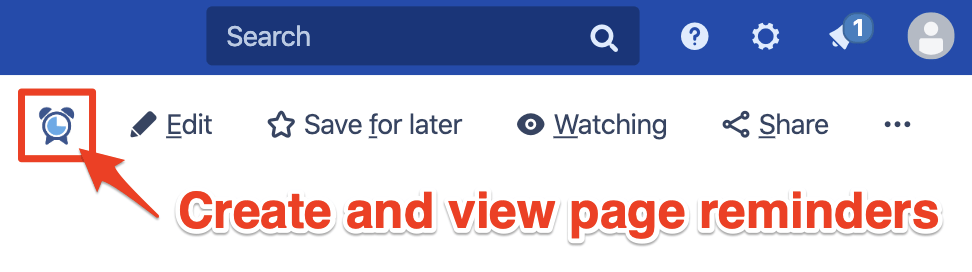
Select the Page Reminder button on any Confluence Page
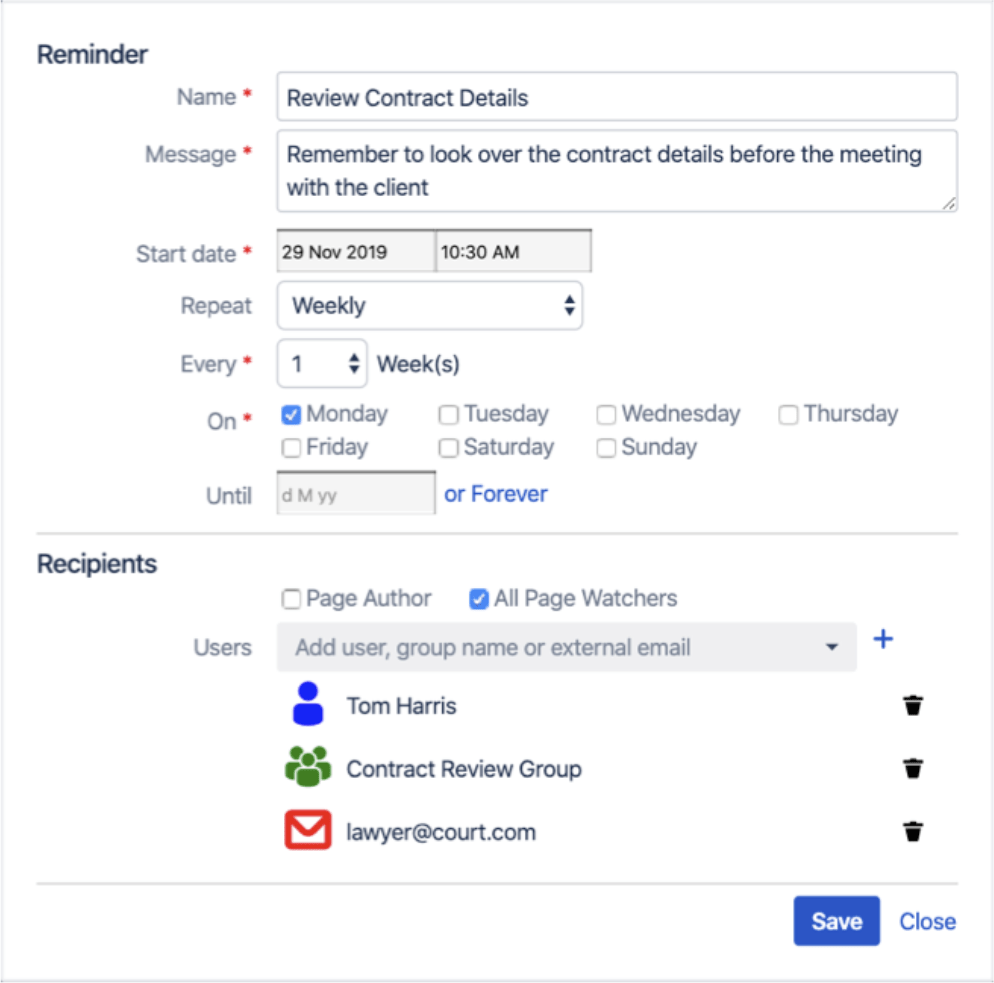
Create new reminders and review existing alarms for the Page
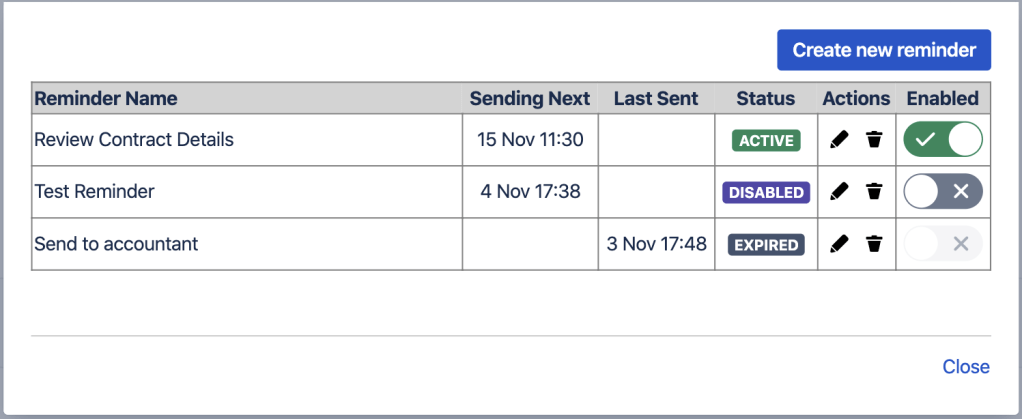
On saving, the Reminder will become ‘Active’
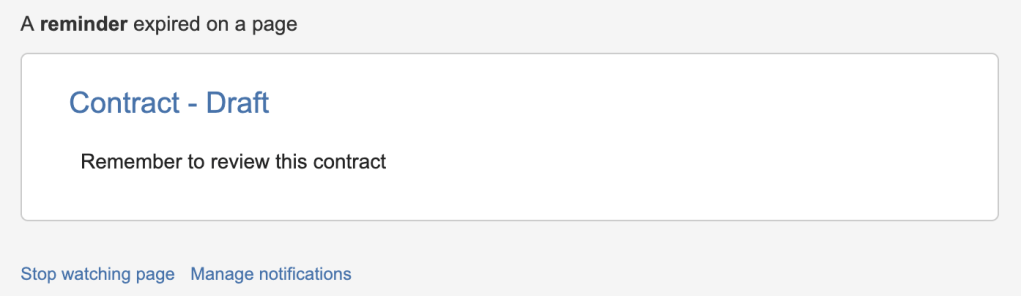
When the reminder time is reached, recipients will be sent an email
Space tools – Admin page
The ‘Space tools’ Page Reminders page provides the following:
- Space setting to disable Page Reminders in the Space.
- List of Page Reminders defined in the Space.
Select the ‘Space Tools’ and then click on ‘Apps’ and select the ‘Page Reminders’ tab.
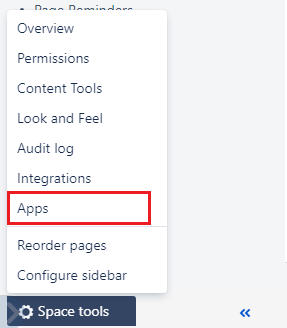
On this page, use the Space Settings to enable or disable Page Reminders in the Space. By default, all Spaces are Enabled. However using the Space Settings, it is possible to disable Page Reminders across the entire Space.
When Page Reminders are disabled for a Space, the following changes will occur:
- The Page Reminder button will be removed from all pages in the Space.
- The Space Page Reminders list will be empty
- Any existing Page Reminders in the Space will remain active, however, no notifications will be sent. When the Space is re-enabled, all existing Page Reminders will continue to operate as expected.
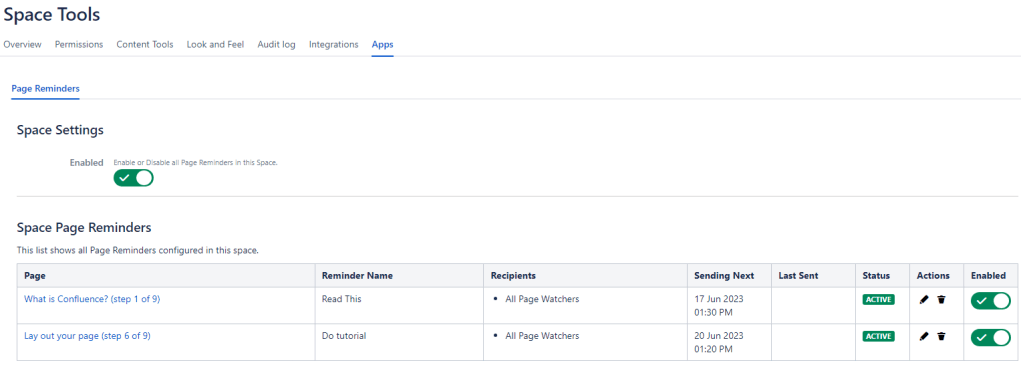
Using the Space Page Reminders list, all Page Reminders in the Space are listed and these can be edited, deleted or disabled within the Space admin page.
User Profile – Page Reminders page
Select the User Profile picture menu and select Page Reminders
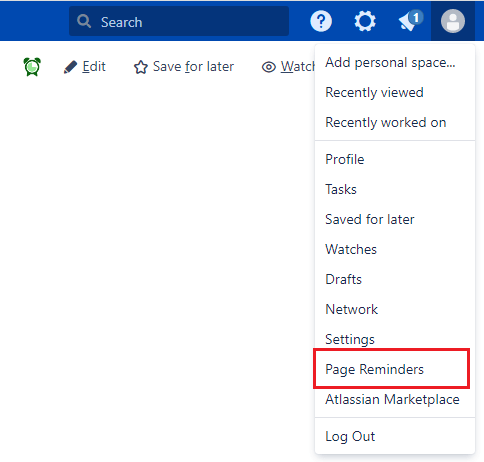
The User admin page will show all the Page Reminders created by the current User, on this screen, the Page Reminders can be edited, deleted or disabled.
Any Page Reminders created using a plugin version prior to 3.0 will not be shown, in order to show these Page Reminders, it is necessary to re-edit each reminder for the Creator's information to become available to the plugin.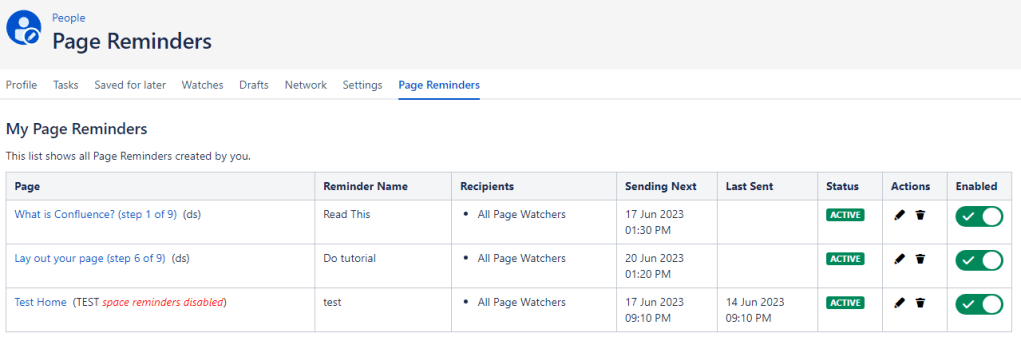
The Page title also shows the Space the page belongs to, and if the Space Page Reminders has been disabled. If the space reminders disabled message is shown, then this overrides the individual Page Reminder Enabled flag.
In the screenshot above, the ‘test’ reminder will still be running in the background, however, there will be NO notifications sent. If the Space is enabled again, then upcoming reminders will send notifications.
 KC Integrations